Linking
Linking is the ability to create clickable links between entities in Lunatask. It allows linking or referencing notes in other notes, tasks in other tasks’ descriptions, people in your journal entries, and so on – you can link anything, in any Markdown document inside our apps.
To insert a link, open linking dialog in our formatting toolbar. Instead of typing or pasting a URL (like in cases when linking to an external website), search for any item in your Lunatask account.
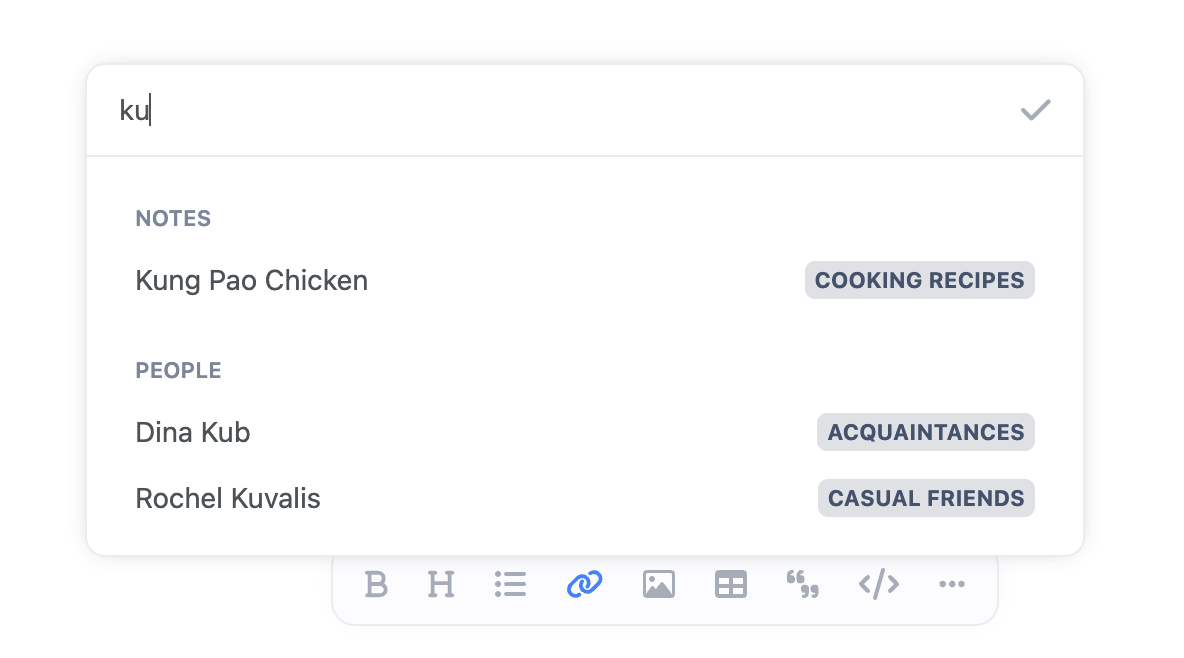
Upon finding and selecting the right item you’re looking for, a link to it will be inserted into the content of your Markdown document at current cursor position.
When no existing text is selected and highlighted when opening the linking dialog, the item’s name will be inserted as the link’s text or title. However, you can also select any part of your text and make it a link to some specific entity.
Linkable entities include all items that can be found using our search, such as:
- Tasks, areas, and goals
- Notes and notebooks
- Journal entries and happy memories
- Relationships/people
You can also link to specific parts of the app like our habit tracker, relationship tracker, or journal – not just to individual entities or items tracked in them. See our next section on deep linking below for more detail and use cases.
Deep Linking
Our linking isn’t limited to work only within Lunatask itself. You can use our links to reference and link to specific tasks, notes, people, journal entries, and other items in your Lunatask account from any other app too.
This is called deep linking – deep links are links that not only open an app, but also take you to a specific location “deep” inside the app, hence the name 💡
If you wish to link a specific item in Lunatask from outside, find the option labeled “Copy link”. Usually, you will find it in the right-click context menu on tasks, notes, areas, people, or in notebook or area settings, for example.
Deep linking to entities in Lunatask
Our deep links use a custom lunatask:// protocol, telling your system that our app should handle the link when clicked on. They look like these examples:
lunatask://tasks/3ceabcc3-b2e2-4874-9b04-2b64ee35f699lunatask://notes/0772b235-94e9-4d18-a11b-739c28bff372lunatask://areas/885ce73f-14ea-4bba-aad8-e794ff6bf615lunatask://people/a4e6a61b-1b69-4fca-bf95-31b96ec59beb
You can use these links anywhere – in any other app, in your browser, inside Shortcuts on Mac and iOS, or elsewhere.
Deep linking to specific parts of Lunatask
Additionally, we provide deep links to each specific part or section of our app:
lunatask://taskslunatask://noteslunatask://habitslunatask://journallunatask://people– alternatively,lunatask://relationshipsworks as well
Opening such a link will open Lunatask in the corresponding location (for example, the habit tracker).
With these section-specific deep links, you can also create aliases, shortcuts, or home-screen icons that jump directly to any part of the app.
So, instead of one general “Lunatask” app icon on your desktop or mobile home screen, you can have five – almost like you would have five separate apps installed, if that’s what you wish. On iOS, you can achieve this using Apple’s Shortcuts app, for example.
Additional helper features
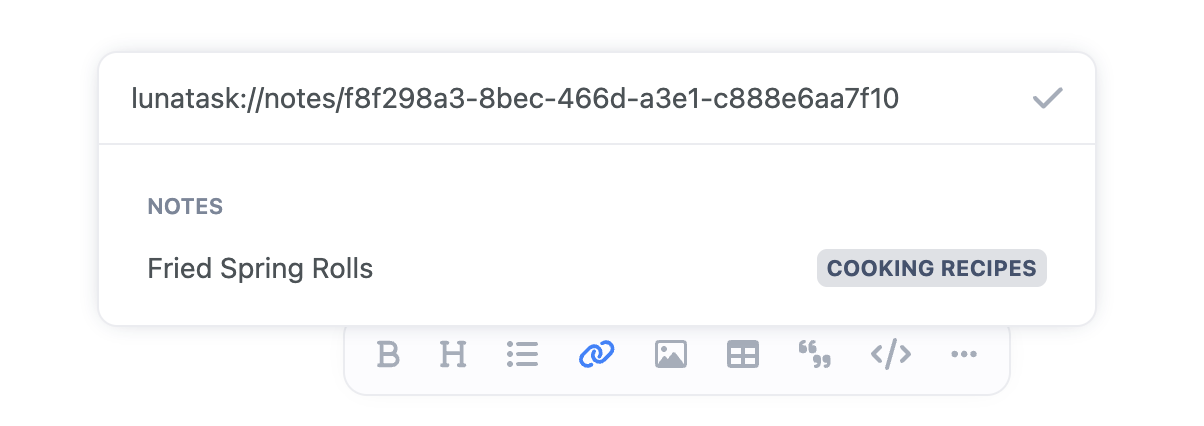
In some situations, you might already have a deep link copied to your clipboard. Pasting it into our linking dialog will recognize it as a Lunatask deep link and look up the entity:
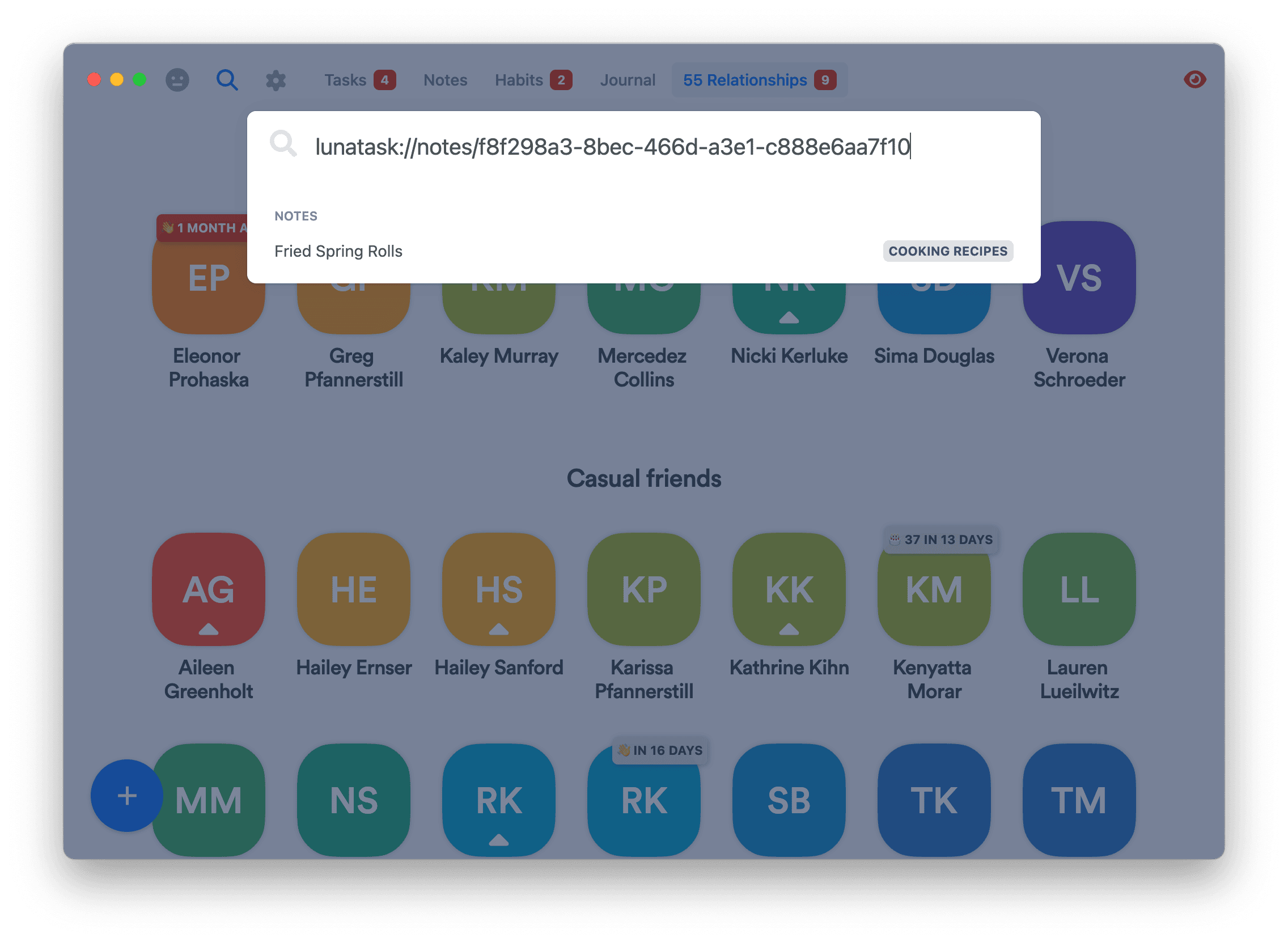
Our global search can also look up the entity when provided with its deep link:
Our linking is currently one-directional. One-directional linking means you can create links to other entities in Lunatask, but you won’t see which entities link back to the one you’re viewing.
Bi-directional linking may come to Lunatask in the future, though it’s not among our top priorities at the moment. Is bi-directional linking important for you? Add your vote for the feature on our Idea Portal 🙏